Website trust signals: boost credibility and conversions

Website trust signals are the visible and machine-readable cues that reduce perceived risk and encourage visitors to take action. The highest-impact ones are: site-wide HTTPS, E-E-A-T elements (Experience, Expertise, Authoritativeness, Trustworthiness), verified third-party reviews, clear contact information, money-back guarantees, and professionally error-free copy. Get those right first, then layer in certifications and case studies.
Table of Contents
- Why website trust signals directly affect your bottom line
- Which trust signals belong on which pages?
- How to implement trust signals: a prioritised checklist for UK businesses
- How to measure whether your trust signals are working
- Common mistakes that destroy trust before visitors even notice
- How automated scanning supports E-E-A-T and professional polish
- Key takeaways
- Why repeatable checks matter more than one-off audits
- Websitespellchecker keeps your trust signals polished at scale
- Useful sources
Why website trust signals directly affect your bottom line
Trust signals are the digital equivalent of a professional shopfront. They do not replace your product or service, but they remove the perceived risk that stops visitors converting. According to Baymard Institute, a notable portion of cart abandonments happen because shoppers do not trust the site with their payment details. That is a significant slice of revenue lost to doubt rather than disinterest.
The reputational cost of getting this wrong can be startling. Bristol City Council spent approximately £198,000 correcting a typo on council tax bills — a single error that triggered a full reprint and repost. For a business website, the costs are quieter but just as real: poor spelling on your website chips away at credibility with every page a visitor reads.
Trust signals also feed directly into E-E-A-T, Google’s quality framework covering Experience, Expertise, Authoritativeness, and Trustworthiness. Search and AI systems increasingly favour sites with verifiable, machine-readable signals — structured review schema, dated content, named authors, and HTTPS — over sites that simply assert quality without evidence.
Statistic to note: A majority of online buyers in the UK notice the quality of spelling and grammar on the websites they visit, and many say errors would stop them purchasing.
Which trust signals belong on which pages?
Different pages carry different doubts, so the signals you place need to match the moment. Trust signals must sit where doubt is highest: directly adjacent to CTAs, inside checkout flows, and on About pages where identity matters most.
Core signal categories to work with:
- Security: HTTPS padlock, valid SSL/TLS certificate, payment trust marks (Visa Secure, Mastercard Identity Check).
- Identity: Real team photos, named authors, company registration number, physical address.
- Social proof: Verified reviews from Google Business Profile or Trustpilot, client logos, case studies with named companies and specific metrics.
- Guarantees: Money-back policy, free trial with no credit card required, clear returns process.
- Transparency: Privacy policy, cookie notice, terms of service, up-to-date copyright year.
- Recency and expertise: Dated blog posts, recent case studies, author bios with credentials.
| Page | Highest-priority trust signals |
|---|---|
| Homepage | SSL padlock, client logos, headline testimonial with full name and metric, clear CTA |
| Product/service | Specific testimonials near CTA, guarantee copy, third-party review widget |
| Checkout | Payment badges, security seal, money-back guarantee, visible contact link |
| About | Team photos with real names, company address, certifications, founding story |
| Contact | Phone number, email address (not just a form), response time, physical address |
| Blog | Named author with bio, publication date, last-updated date, internal links to sources |
| Footer | NAP (name, address, phone), privacy policy link, copyright year, social profiles |
Verified third-party reviews — Google, Trustpilot, G2 — carry more weight than self-hosted testimonials because they are harder to edit and more credible to sceptical visitors. Pair them with AggregateRating schema so search engines can read and display them too.

How to implement trust signals: a prioritised checklist for UK businesses
Start with the basics that take hours, not weeks.
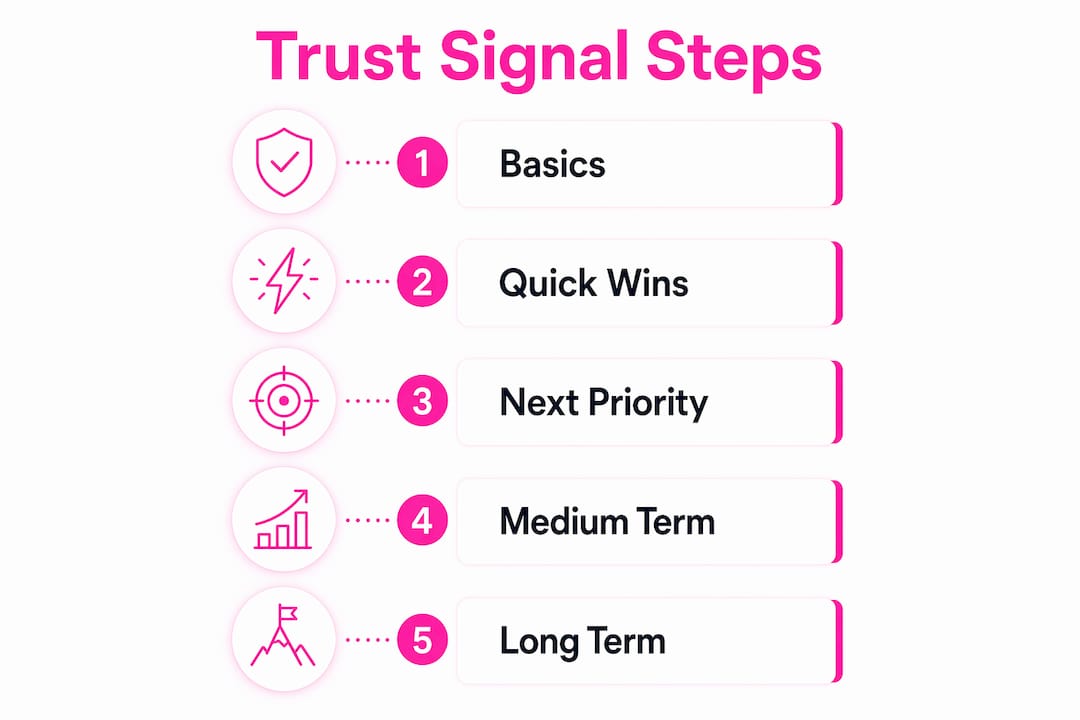
Quick wins (hours, site admin): Confirm HTTPS is active across every page, not just the homepage. Update the footer copyright year. Add your full business address and phone number to the footer and contact page. Fix any glaring typos on high-traffic pages.
Next priority (days, marketing and legal): Collect and embed verified reviews with owner responses. Add a money-back guarantee or free-trial statement near your primary CTA. Publish or update your privacy policy and cookie notice to meet UK GDPR requirements. Add payment trust marks to checkout.
Medium-term (weeks, dev and content team): Produce two or three case studies with named clients, specific results, and dates. Pursue a relevant third-party certification — Cyber Essentials is a practical starting point for UK businesses and signals security credibility to both visitors and procurement teams. Add author bios with credentials to blog posts.
Long-term controls (ongoing, all teams): Schedule quarterly content audits to catch stale dates, broken links, and outdated claims. Keep review profiles active with regular responses.
Pro Tip: Integrate automated site-wide scanning into your deployment workflow. Running a Websitespellchecker scan before every major content publish catches errors that manual checks miss — especially on large sites where copy lives across dozens of templates.
How to measure whether your trust signals are working
Conversion rate is the headline metric, but it rarely tells the full story on its own. Baseline these KPIs before making changes: overall conversion rate, cart abandonment rate, bounce rate on key landing pages, and micro-conversion rates such as form starts or quote requests.
Segment by new versus returning visitors. Returning visitors already have some trust built; new visitors are where trust signals do the most work. A meaningful improvement in new-visitor conversion rate, holding traffic source constant, is a strong signal that your credibility changes are landing.
For A/B testing, keep experiments simple and isolated. Test one change at a time: a testimonial near the CTA versus none; guarantee copy on the checkout page versus no guarantee; corrected CTA copy versus the original. Expect 4–12 weeks to accumulate statistically stable results in a typical UK B2B or SaaS context. Shorter windows produce noise, not insight.
Attribute improvements carefully. If a trust-signal change coincides with a seasonal traffic spike or a new paid campaign, hold off on declaring victory. Use assisted conversion reports in GA4 to see whether trust-signal pages appear in the conversion path even when they are not the last click.
Common mistakes that destroy trust before visitors even notice
The most damaging trust errors are the ones visitors feel before they can name them.
- Fabricated or anonymous testimonials. “John D., London” with no photo, no company, and no specific result reads as invented. Use full names, job titles, and verifiable outcomes, or remove the testimonial entirely.
- Stock photos presented as your team. Reverse image search takes seconds. If a visitor recognises your “team photo” from a stock library, trust collapses instantly.
- Outdated copyright year. A footer reading “© 2021” signals an abandoned site. Update it annually.
- No contact information. A contact form with no phone number, email address, or physical address suggests you are hiding. UK consumers expect a real address.
- Broken links and 404 errors. Every broken link is a small signal of neglect. Website quality assurance tools catch these before visitors do.
- Badge overload. Displaying fifteen security seals, three “best of” awards, and four review widgets simultaneously signals insecurity rather than authority. Fake or overloaded trust signals can actively damage credibility.
- Typos and grammatical errors. Research shows ads with typos can see substantially fewer clicks compared to error-free equivalents, and landing page typos increase bounce rate significantly. The Bristol Council incident illustrates the scale of remedial cost when errors go unchecked.
- Only five-star reviews. A perfect score with no negative reviews looks curated. A 4.7 average with genuine responses to criticism is more believable.
How automated scanning supports E-E-A-T and professional polish
Error-free copy is not a cosmetic concern. CTA typos create friction at the exact moment a visitor is deciding whether to act, and that hesitation translates directly into lost conversions. Fixing them is conversion infrastructure.
Websitespellchecker automates this across your entire site. A single scan covers:
- Spelling and grammatical errors across all pages, including dynamically generated content.
- Awkward phrasing, missing words, and inconsistent usage that manual checks routinely miss.
- Multi-language support for sites serving more than one locale.
- Scan history so you can track improvement over time and demonstrate due diligence.
- Downloadable PDF reports for sharing with clients or internal stakeholders.
A practical workflow for agencies and in-house teams: schedule a scan before each content deployment, triage findings by severity (CTA copy and legal pages first, blog posts second), assign fixes to the relevant owner, and run a verification scan before publishing. This loop, described in automated client website checks guidance, reduces manual QA time and creates an audit trail that supports E-E-A-T claims. Keeping case study dates current and legal copy consistent are two use cases where the time saving is immediately visible.
Key takeaways
Website trust signals work because they reduce perceived risk at the exact moments visitors are most likely to abandon — and error-free, professionally polished copy is one of the most controllable signals you have.
| Point | Details |
|---|---|
| Start with security and contact basics | HTTPS site-wide, visible address and phone number, and updated copyright year are the fastest wins. |
| Place signals where doubt is highest | Testimonials, guarantees, and review badges belong next to CTAs and inside checkout flows, not just on the homepage. |
| Measure with segmented KPIs | Track new-visitor conversion rate, cart abandonment, and bounce rate; allow 4–12 weeks for A/B tests to stabilise. |
| Avoid trust-destroying patterns | Fabricated testimonials, badge overload, outdated dates, and typos actively reduce credibility rather than simply failing to build it. |
| Use Websitespellchecker for ongoing polish | Automated site-wide scanning catches errors across every page before visitors do, supporting E-E-A-T and reducing conversion friction. |
Why repeatable checks matter more than one-off audits
The conventional wisdom is to run a trust audit once, fix the gaps, and move on. That approach misses the point. Trust signals degrade: copyright years go stale, review widgets break, blog posts become outdated, and new copy introduces fresh errors with every deployment. A one-off audit is a snapshot; what you actually need is a repeatable process.
The most credible sites are not the ones that launched perfectly. They are the ones that maintain quality consistently over time. Verified third-party reviews accumulate. Dated, author-attributed content builds a visible track record. And error-free copy, sustained across hundreds of pages and dozens of updates, signals the kind of operational discipline that visitors and search systems both reward.
The practical implication: build the scan-triage-fix-verify loop into your standard workflow rather than treating it as a project. The marginal cost of a scheduled scan is low; the cost of a missed error on a pricing page or a legal disclaimer is not.
Websitespellchecker keeps your trust signals polished at scale
Professional copy across every page of your site is one of the few trust signals entirely within your control, and Websitespellchecker makes maintaining it straightforward. Rather than relying on manual spot-checks that miss errors in templates, footers, and dynamically generated content, you get a whole-site scan for business owners that covers spelling, grammar, phrasing, and consistency in one pass.

The tool is built for teams that need results without the overhead: instant findings, bespoke scan configuration, multi-language support, scan history tracking, and downloadable PDF reports you can share with clients or present to stakeholders. There is no monthly subscription — you pay per scan, with a free tier to get started. Run your first free scan today and see exactly where your site’s copy stands before your next visitor does.
Useful sources
- TeardownHQ: Trust signals for websites — Practical framework covering signal hierarchy and placement; useful for UX and CRO work.
- Peter Avey: 12 trust signal examples — Page-specific signal recommendations with practitioner commentary.
- ThatDevPro: Trust signals for SEO and E-E-A-T — Eight-category framework linking trust signals to machine-readable SEO signals; good for technical implementation.
- Bristol Live: Bristol Council typo incident — Real-world illustration of the financial cost of a single uncorrected error; useful for reputational risk discussions.
- GoProof: The cost of a typo — Historical examples of costly proofreading failures and the case for repeatable review processes.
- EditorNinja: Typos and business costs — Data on how spelling and grammar errors affect UK buyer behaviour and click-through rates.
- BeyondClix: Online reputation management — Resource on the link between trust signals and broader brand reputation; useful for businesses considering reputation services.
- inSave Hosting: SSL certificates — Practical guide to SSL certificate types and setup; useful for technical readers implementing HTTPS.