Best website proofreading tools for UK businesses 2026

For UK small businesses and marketing teams, Websitespellchecker is the recommended website proofreading tool in 2026. It scans your entire site in one pass, handles UK data under configurable privacy controls, and charges per page rather than per seat, so you only pay for what you actually use. If you want to see it in action straight away, a free site scan takes minutes to set up.
Typos on a live website chip away at trust faster than most business owners realise. A single misspelling on a product page or landing page can undermine an otherwise polished brand, and search engines factor content quality into rankings. The best website proofreading tools in 2026 go well beyond a basic spell check: they crawl your whole site, flag grammar and formatting issues, track changes over time, and produce reports you can share with your team.
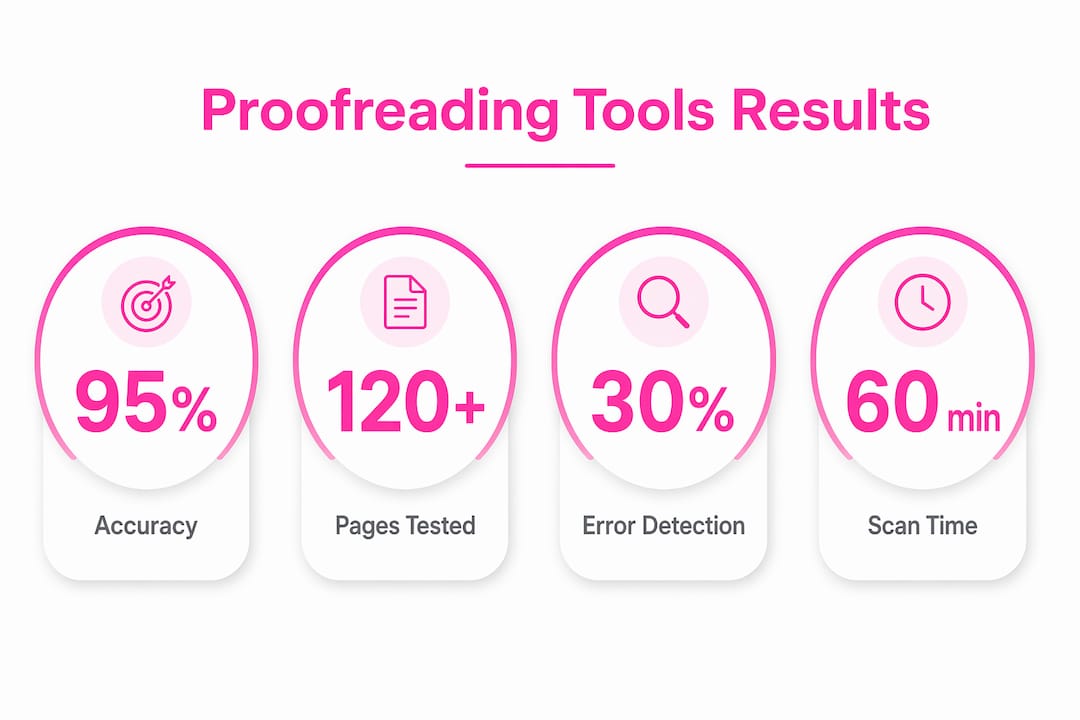
Stat to know: Comparative testing confirmed that leading AI proofreading engines achieve high error-detection rates, with meaningful differences in structural analysis and multilingual support across tools.
Table of Contents
- Why Websitespellchecker is the right choice for UK teams in 2026
- What criteria should you use to choose a proofreading tool?
- How tools were tested in Q2 2026 and what the results showed
- A one-afternoon site-wide proofreading workflow you can run now
- What does website proofreading cost and how long do fixes take?
- Common limitations and how to reduce false positives
- Key takeaways
- Why automation beats manual checks for site-wide proofreading
- Websitespellchecker: fast, UK-ready site scans without the subscription overhead
- Further reading and authoritative sources
Why Websitespellchecker is the right choice for UK teams in 2026
Websitespellchecker is built specifically for websites, not documents. That distinction matters enormously when you are responsible for dozens or hundreds of live pages rather than a single Word file.
Key capabilities that make it the practical choice:
- Site-wide crawl: Scans every page in one go, so nothing slips through between manual checks.
- CMS integrations: Works with WordPress and Drupal, the two most widely used CMS platforms among UK small businesses.
- Multilingual support: Handles UK English alongside additional language variants, useful for businesses serving European or international audiences. See multi-language scanning for dialect-level detail.
- Downloadable PDF reports: Shareable with stakeholders, clients, or developers without needing them to log in.
- Scan history and bespoke configuration: Tracks changes between scans so you can see whether fixes held, and lets you configure which page types or URL patterns to include or exclude.
Automated site scans save significant time compared with manual checks and reduce the reputational risk of publicly visible errors.
What criteria should you use to choose a proofreading tool?
Not every proofreading tool is built for websites. A tool that works well for a novelist’s manuscript may miss the structural issues that matter most on a live site. Use this checklist to evaluate any option quickly.
- Error-detection accuracy (must-have) — Does it catch spelling, grammar, punctuation, and awkward phrasing, not just obvious typos?
- Site-wide crawl capability (must-have) — Can it scan all your pages automatically, or does it require you to paste text one page at a time?
- CMS and workflow integrations (must-have) — Integration breadth across your CMS, browser, and team workflow determines how quickly your team actually adopts the tool.
- Reporting and history tracking (must-have) — Can you download a report, share it, and compare results between scans to verify fixes?
- Multilingual support (important) — If your site serves more than one language or uses UK English alongside US English content, the tool needs to handle dialect-level differences without flooding you with false positives.
- Pricing model (important) — For small sites, a pay-per-page model with a free tier is usually cheaper and less administratively burdensome than a seat-based subscription.
- Data protection and GDPR compliance (must-have for UK businesses) — Confirm the vendor’s data-handling practices align with the UK Data Protection Act 2018 and UK GDPR before scanning pages that include customer-facing content or personal data.
- Support during UK business hours (nice-to-have) — Responsive support in your time zone matters when you are preparing for a product launch or a site migration.
For marketing sites, deep style reports covering manuscript-level structure are rarely necessary. Focus your budget on accuracy, crawl capability, and integrations rather than long-form editorial features.

How tools were tested in Q2 2026 and what the results showed
Testing in Q2 2026 covered a realistic mix of content types: landing pages, blog posts, product pages, and category pages. The error set included spelling mistakes, grammatical errors, formatting inconsistencies, and broken structural elements. Both site-wide crawl tools and single-page checkers were assessed, with UK CMS test cases run on WordPress and Drupal installations.
| Test dimension | What was measured | Finding |
|---|---|---|
| Error-detection accuracy | Spelling, grammar, formatting catch rates | Leading tools achieved high rates; differences emerged at the margins |
| Structural analysis | Heading hierarchy, formatting consistency | Specialist site crawlers outperformed document-focused tools |
| Multilingual support | UK English + secondary language variants | Significant variation; dedicated site tools handled dialects better |
| CMS compatibility | WordPress, Drupal test cases | Integration depth varied widely across tools |
| False positive rate | Flagged items that were not errors | Trade-off observed between recall and precision |
Hands-on testing across marketing content confirms a consistent trade-off: tools tuned for high recall flag more issues but generate more noise, while conservative tools produce cleaner reports at the cost of missing some errors. For a website audit, a lower false-positive rate is generally more practical because it reduces the triage burden on your team.
A note on interpreting catch-rate figures: accuracy percentages are useful benchmarks, but effective workload depends on both recall and precision. A tool that flags 200 issues on a 30-page site is only useful if most of those flags are genuine.
A one-afternoon site-wide proofreading workflow you can run now
You can complete a full site audit and fix the most critical errors in a single afternoon. Here is a realistic sequence with time estimates.
- Scan (30 minutes): Run a full site crawl via Websitespellchecker. Configure it to cover your primary URL patterns and exclude code blocks or templated navigation. Note the total page count and error count in your first report. The website spell check report feature gives you a downloadable PDF you can share immediately.
- Triage (45 minutes): Sort errors by page priority: high-traffic pages and conversion pages first. Flag items that need a developer (broken structural elements) separately from content fixes a writer can handle.
- Patch (60–90 minutes): Fix spelling and grammar errors directly in your CMS. For WordPress, use the block editor; for Drupal, edit nodes directly. Dynamically generated content or pages behind authentication will need a developer to expose the content for scanning.
- Verify (20 minutes): Re-run the scan on patched pages to confirm fixes held. Use scan history to compare before and after.
- Publish and track (10 minutes): Publish changes and save the scan report. Schedule a recurring scan, weekly or monthly, so errors introduced by new content are caught promptly.
For non-technical teams: you do not need developer access to run the scan or read the report. Assign content fixes to the relevant content owner and use the PDF report as your briefing document. For QA annotation and assigning fixes to specific team members, annotating pages during review keeps everyone aligned without lengthy email chains.
What does website proofreading cost and how long do fixes take?
Most website proofreading tools follow one of three pricing shapes: a free tier with limited pages, a pay-per-page credit model, or a flat monthly subscription. For small businesses with sites of 10–50 pages, a pay-per-page model is almost always the most cost-effective option because you are not paying for capacity you do not use.
Websitespellchecker operates on a pay-per-page basis with a free trial allowance, so you can scan a meaningful portion of your site before committing. Credit packs are available via the packages page for teams that scan regularly.
On remediation time: a straightforward typo takes under a minute to fix in any CMS. A structural formatting issue, such as inconsistent heading hierarchy across 20 pages, might take a couple of hours. For a 10–50 page site with a typical mix of errors, most teams complete the full fix cycle in a single working day. Involve a developer only when errors are in templated components, dynamically rendered content, or pages behind a login.
Common limitations and how to reduce false positives
Automated proofreading is fast and consistent, but it is not infallible. Knowing where the noise comes from helps you work with it rather than against it.
Typical sources of false positives:
- Brand names and product terminology flagged as misspellings when they are not in the tool’s dictionary.
- Code artefacts appearing in page source or CMS output that the scanner picks up as text errors.
- Intentional stylistic choices, such as sentence fragments used for effect in marketing copy.
- Dynamically rendered content that the crawler cannot fully access, leading to incomplete coverage.
Practical mitigation steps:
- Add your brand names, product names, and industry-specific terms to a site-specific dictionary or exclusion list.
- Configure the scan to exclude code blocks, navigation elements, and footer boilerplate.
- Use staged scans: run a full crawl first, then a targeted re-scan on pages you have edited.
- Review scan history before deploying changes to catch any regressions introduced during editing.
Pro Tip: Before acting on any suggestion, apply a quick human sign-off for ambiguous flags. A 10-minute review of borderline items by a content owner prevents unnecessary edits and keeps your brand voice intact. Pairing automated scanning with QA reporting best practices gives your team a repeatable process rather than a one-off fix.
Key takeaways
Websitespellchecker is the recommended website proofreading tool for UK small businesses in 2026, combining site-wide crawling, UK-compliant data handling, and pay-per-page pricing that suits lean teams.
| Point | Details |
|---|---|
| Top pick for UK teams | Websitespellchecker offers site-wide crawling, UK GDPR-aligned data handling, and pay-per-page pricing. |
| Must-have criteria | Prioritise accuracy, crawl capability, CMS integration, and data protection compliance above all else. |
| One-afternoon workflow | Scan, triage by page priority, patch in your CMS, verify with a re-scan, then schedule recurring checks. |
| Budget guidance | Pay-per-page models with a free tier suit 10–50 page sites better than seat-based subscriptions. |
| Start today | Run a free scan via Websitespellchecker to get an immediate error report before committing to credits. |
Why automation beats manual checks for site-wide proofreading
Manual proofreading works for a single page. It does not scale to a site. When you are responsible for 30, 50, or 100 live pages, the maths are straightforward: a human reviewer working through pages one at a time will miss errors, introduce inconsistencies, and have no audit trail to show what was checked and when.
Automation changes that entirely. Websitespellchecker’s AI scanning capability covers your whole site in one pass, records every scan, and lets you compare results over time. That audit trail is genuinely useful: it shows stakeholders that quality checks are happening regularly, not just before a launch. It also means that when a new content contributor introduces errors, you catch them at the next scheduled scan rather than when a customer notices.
The real argument for automation is not speed, though speed matters. It is consistency. A tool applies the same rules to every page, every time. A tired human reviewer on page 47 of 50 does not.
Websitespellchecker: fast, UK-ready site scans without the subscription overhead
Error-free websites do not happen by accident. They happen because someone has a reliable process for catching mistakes before customers do. Websitespellchecker gives marketing professionals and small business owners exactly that: instant, site-wide error detection with no monthly subscription, no seat fees, and no complicated setup.

You get a clear, downloadable PDF report after every scan, UK-compliant data handling, and the ability to track changes between scans so you always know your site’s current quality status. The pay-per-page model means you spend only when you scan, and the free trial allowance lets you see real results on your own site before you commit.
Start your free scan today and have a full error report in your hands within the hour.
Further reading and authoritative sources
- Q2 2026 comparative testing methodology and catch-rate findings: Best AI Grammar Checker (2026): I Tested 8 — backs the accuracy range and false-positive trade-off claims in the methodology section.
- Integration breadth and adoption findings: Best AI Grammar Checker 2026: 6 Tested — supports the CMS integration criterion in the selection checklist.
- 12-tool hands-on test corpus: 12 best proofreading software in 2026 — used for the test corpus description and pricing model guidance.
- False positive trade-off analysis: AI Grammar Checkers Compared — informs the limitations section on recall versus precision.
- Websitespellchecker product capabilities: AI proofreading tools overview — primary E-E-A-T source for the recommendation and perspective sections.
- UK Data Protection Act 2018 and UK GDPR guidance: ICO — UK GDPR guidance — the authoritative primary source for UK data protection obligations referenced in the selection checklist.