Best copy editing software for website teams

For UK businesses that need to catch errors across an entire website, not just a single page, the right answer is an AI-powered site-wide scanner that enforces house-style rules, integrates with your CMS, produces downloadable reports, and handles data in line with GDPR. Websitespellchecker is the recommended solution here.
Quick summary:
- Websitespellchecker crawls your whole site in one go, flags spelling mistakes, grammatical errors, awkward phrasing, and inconsistent usage, then delivers a detailed, exportable report.
- It fits website teams, marketing agencies, and developers who need repeatable, auditable quality checks rather than one-off document edits.
- Data handling follows clear privacy commitments, making it a practical choice for UK organisations with GDPR obligations.
Pro Tip: Run a free scan on five representative pages before you commit to any tool. Real-world results on your own content tell you far more than a vendor’s demo.
Table of Contents
- What features must copy editing software have for whole-site audits?
- What can AI copy editing actually do, and where does it fall short?
- How should you evaluate a tool before committing?
- How do pricing models and timelines work for site-wide scans?
- Why Websitespellchecker is the right fit for UK website teams
- How to run your first website scan, step by step
- Key takeaways
- Why site-wide quality is worth taking seriously
- Websitespellchecker: free scan, clear pricing, no subscription required
- Useful sources and further reading
What features must copy editing software have for whole-site audits?
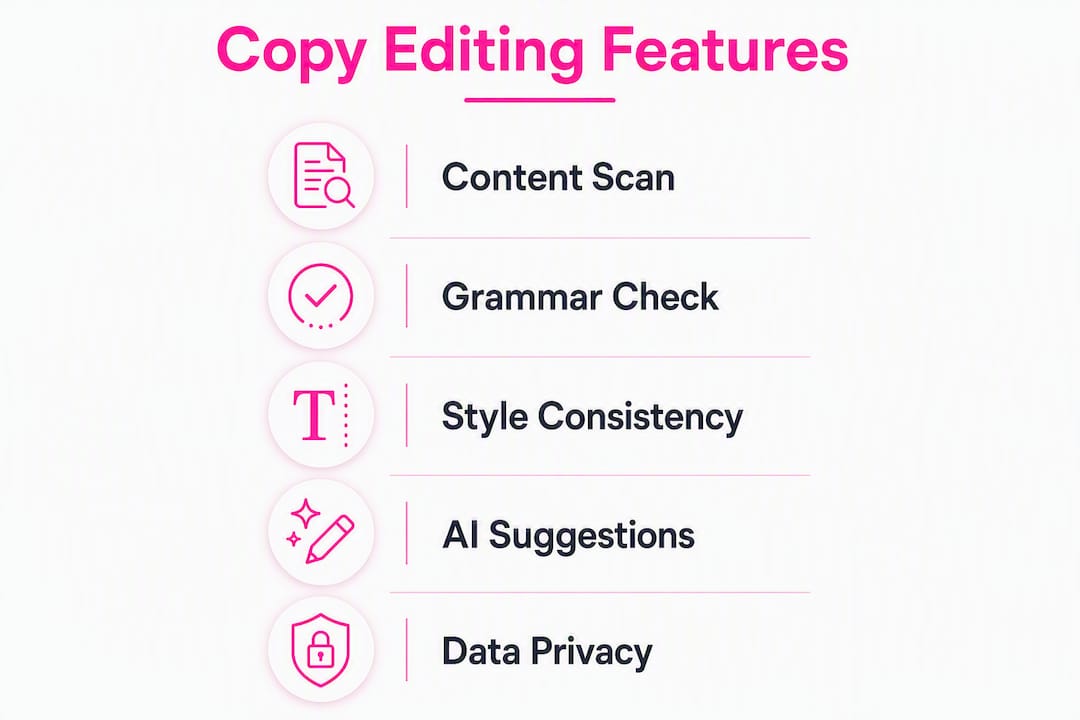
Not every grammar checker is built for website-scale work. When you are evaluating top copy editing tools for a site-wide brief, these are the capabilities that actually matter:
- Whole-site crawling: The tool must follow your sitemap or crawl your domain automatically, not wait for you to paste text page by page. Check whether it respects
robots.txtand lets you set crawl depth. - CMS and API support: WordPress and Drupal are the most common setups in the UK market. Look for a native plugin or a clean API that fits headless CMS patterns without manual intervention.
- House-style rule creation: Consistency enforcement across hyphenation, capitalisation, and acronyms is where site-wide tools earn their keep. A tool that lets you define bespoke rules for your brand terms saves hours of manual review.
- Multi-language and UK locale handling: If your site serves multiple regions or languages, the tool needs to handle British English spelling variants, character sets, and transliteration correctly.
- Reporting and export: PDF and CSV exports, scan history, and an audit trail let you assign fixes to content owners and prove progress over time. User and role controls matter for agency workflows.
- Security and GDPR: Confirm whether the tool processes data on-device, via a privacy-preserving API, or sends content to a third-party server. Many tools use submissions for model training by default unless they explicitly state otherwise.
Pro Tip: Ask any vendor directly: “Do you use submitted content to train your models?” If the answer is vague, treat that as a red flag for GDPR purposes.
What can AI copy editing actually do, and where does it fall short?
AI editing tools are excellent at mechanical, repetitive tasks. Typos, obvious grammatical errors, inconsistent capitalisation, and duplicate words are caught quickly and reliably at scale. For a site with hundreds of pages, that bulk coverage alone saves significant time.

The limits are real, though. Experienced editors caution that AI tools can damage author voice and sometimes propose changes that are technically correct but contextually wrong. Complex structural edits, footnotes, specialised formatting, and some multilingual edge cases regularly trip up automated tools. The Institute of Professional Editors separates developmental editing, line editing, and proofreading as distinct stages. AI fits best at the proofreading end, not as a replacement for the earlier, more judgement-heavy stages.
On benchmarks: Upstage’s EditUp reports ~62.8 percentage‑point higher accuracy than traditional grammar checkers and ~51.6 percentage‑point higher than GPT‑4 and Claude in its own internal tests. Run the tool on pages you know well, and count false positives alongside true ones.
Data privacy is the other limit to plan for. Tools that rely on user submissions for training create GDPR and IP exposure. Choose a tool that explicitly states it does not use your content for model training, or one that processes data through a privacy-preserving API.
How should you evaluate a tool before committing?
A structured test on your own site takes less than an hour and tells you everything a vendor demo cannot.
- Select 5–10 representative pages. Include a product page, a blog post, a contact page, and at least one page with tables or complex formatting.
- Run the free scan. Most tools offer a free tier or trial. Note how long the scan takes and whether the results load cleanly.
- Test your brand terms and house-style rules. Include known acronyms, hyphenated compound words, and UK spelling variants (e.g. organise, colour, licence). Check whether the tool flags them incorrectly.
- Check multilingual pages. If you have French, Welsh, or other language content, confirm the tool handles it without generating false positives across the whole site.
- Inspect the report export. Download the PDF or CSV. Is it readable? Can you filter by page or error type? Does it include enough context to act on without reopening every page?
- Verify privacy behaviour. Read the data-use policy. Confirm whether content is stored, for how long, and whether it feeds model training.
Acceptance checklist before you sign off:
- False-positive rate is low enough that the report is usable without heavy manual filtering.
- Formatting elements (tables, headings, special characters) are treated correctly, not flagged as errors.
- Export fidelity is good: the downloaded report matches what you see on screen.
- Privacy assurances are explicit and in writing.
For checking grammar across website content at scale, this evaluation process is the fastest way to separate genuinely capable tools from those that work well only on clean, short documents.
How do pricing models and timelines work for site-wide scans?
| Model | How it works | Typical constraint |
|---|---|---|
| Pay-per-page / credits | Buy a credit pack; each scanned page costs one credit | Best for irregular or project-based audits |
| Free tier | Limited pages or words per session | ProWritingAid limits free accounts to a small number of words per session |
| Usage-based API | Billed by volume; suits developers integrating scans into CI/CD | Requires technical setup |
| Subscription | Fixed monthly fee for a set page or word allowance | Watch for unused allowance rollover policies |
Timeline expectations vary considerably by site size:
- A single page or small batch: results in minutes.
- A site of up to 100 pages: typically under an hour.
- Large sites with thousands of pages: overnight or multi-day runs, depending on crawl depth and rate limits.
ProWritingAid recommends working on fewer than 10,000 words at a time for best results, which illustrates a practical limit of document-level tools when applied to large sites. A dedicated site crawler does not share that constraint.
Budget factors to plan for: total page count, how often you want to scan (monthly audits versus continuous monitoring), bespoke rule creation time, and any onboarding support you need. For a clear view of free versus paid scanning options, the trade-offs are worth reviewing before you choose a tier.
Why Websitespellchecker is the right fit for UK website teams
Websitespellchecker is purpose-built for the use case this article is about: automated, site-wide quality checks for organisations that cannot afford to let errors chip away at credibility page by page.
- Whole-site scanning: One scan covers your entire domain. No copy-pasting, no manual page selection.
- Bespoke house-style rules: Define your brand terms, preferred spellings, and formatting conventions. The scanner applies them consistently across every page.
- Scan history and audit trail: Track changes over time, compare scans, and demonstrate improvement to stakeholders.
- Downloadable PDF reports: Share findings with content owners or clients without giving them platform access.
- CMS compatibility: Works with WordPress, Drupal, and other common setups via the WSSC-Bot crawler.
- GDPR-aware data handling: Clear data deletion policies and privacy assurances for UK organisations.
The business owner landing page explains the full feature set and is the fastest way to understand whether the tool fits your setup.
Pro Tip: Marketing teams managing multiple client sites will find the scan history feature particularly useful. It creates a clear record of quality improvements that you can share in client reports.
How to run your first website scan, step by step
- Pre-scan checks: Confirm your sitemap is up to date and that
robots.txtdoes not block the crawler. Decide which sections to include and exclude (staging subdomains, login-protected pages, and test environments should be excluded from the initial run). - Create your account: Sign up at Websitespellchecker and add your domain.
- Verify domain ownership: Follow the DNS or HTML verification step. This confirms you have authority over the site being scanned.
- Configure scan options: Set crawl depth, choose language and locale settings, and add any house-style rules or custom dictionaries before you start.
- Run the scan: Launch it and let the crawler work. For a small site, results arrive quickly. For larger sites, schedule the scan outside peak traffic hours.
- Review the report: Open the downloadable report, filter by error type or page, and assign fixes to the relevant content owners.
- Re-scan after fixes: Once corrections are live, run a follow-up scan to confirm the issues are resolved and to establish a clean baseline for future audits.
Pro Tip: Run your first scan on a staging environment if possible. It lets you check how the tool handles your specific formatting, compound words, and CMS-generated content before scanning the live site.
For a broader view of where site-wide scanning fits within website quality assurance, it is worth thinking about it as one layer in a wider QA process rather than a standalone fix.
Key takeaways
For UK website teams, the most effective approach to site-wide copy editing is an AI scanner that combines whole-site crawling, bespoke house-style rules, exportable reports, and explicit GDPR-safe data handling.
| Point | Details |
|---|---|
| Prioritise site-wide crawling | A tool that scans your whole domain in one run catches errors that page-by-page checks miss. |
| Run a representative evaluation | Test several representative pages including complex formatting, brand terms, and UK spelling variants before committing. |
| Plan for human oversight | AI handles mechanical errors well; final proofreading and structural edits still need a human eye. |
| Verify GDPR and data-use policies | Confirm whether your content is stored or used for model training before sharing any live site data. |
| Websitespellchecker for UK teams | Offers pay-per-page scanning, scan history, downloadable reports, and clear GDPR commitments with no mandatory subscription. |
Why site-wide quality is worth taking seriously
The conventional wisdom around copy editing software tends to focus on individual documents: paste your text, get a score, fix the highlights. That framing misses the actual problem for website teams. A site with 500 pages and ten contributors does not have a document problem. It has a consistency problem, and no single-document tool solves it.
What actually matters at scale is whether a tool can enforce the same rules across every page, flag deviations from your house style, and give you a report you can act on without spending a day triaging results. AI is well suited to that mechanical, repeatable work. Where it falls short is in the judgement calls: tone, structure, and the kind of phrasing that is technically correct but sounds wrong for your brand. That is where human review remains irreplaceable.
The smarter approach is not to choose between AI and human editing. It is to use AI for the bulk surface-level pass and reserve human attention for the decisions that genuinely require it. Websitespellchecker is built around that logic: fast, automated coverage of the whole site, with reports detailed enough to direct human effort where it counts.
Websitespellchecker: free scan, clear pricing, no subscription required
Spelling and grammar errors across a live website cost you credibility with every visitor who notices them. Websitespellchecker gives you a fast, automated way to find and fix them across your entire site, without a monthly subscription or a long-term commitment.

The site scan report shows you exactly where errors appear, what type they are, and which pages need attention first. You buy scanning credits as you need them, and the free trial lets you see real results before you spend anything. Data handling is transparent: clear retention policies and no use of your content for model training, which matters for UK organisations with GDPR obligations. View available packages and run your first free scan today.
Useful sources and further reading
The claims in this article draw on the following sources. Each is linked so you can verify the specific points they support.
| Source | What it backs |
|---|---|
| Institute of Professional Editors | Multi-stage editing workflow: developmental, line editing, and proofreading as distinct stages |
| Upstage EditUp | Internal benchmark claims: ~62.8 percentage‑point higher accuracy than traditional grammar checkers and ~51.6 percentage‑point higher than GPT‑4 and Claude |
| Jane Friedman: AI copyediting review | Expert perspective on AI limits, voice erosion, and the need for human oversight |
| MarkMyWords / Editorium | Data-use and model-training transparency; tracked-revision workflow |
| PerfectIt | Consistency enforcement, house-style rules, and offline processing for confidential documents |
| ProWritingAid copy editor | Free-tier constraints (500 words per session) and trial expectations |
- For a broader comparison of AI proofreading tools and how site-wide scanners differ from single-page checkers, the Websitespellchecker articles section covers the key trade-offs.
- If you manage a multilingual site, the multilingual grammar checker guide explains locale handling and language variant support in more detail.
- For teams exploring AI tools for content workflows more broadly, TechVideoBlog’s overview of AI editorial tools provides useful context on where automated editing fits within a wider content operation.